Every Formula 1 race from 2023 on, replayed on a 3D diorama of its circuit. It's built in Flutter with flutter_scene, Flutter's 3D renderer, and runs in the browser through WebAssembly.
Open the live demo. It works best in a recent desktop Chrome, Edge, Firefox or Safari.
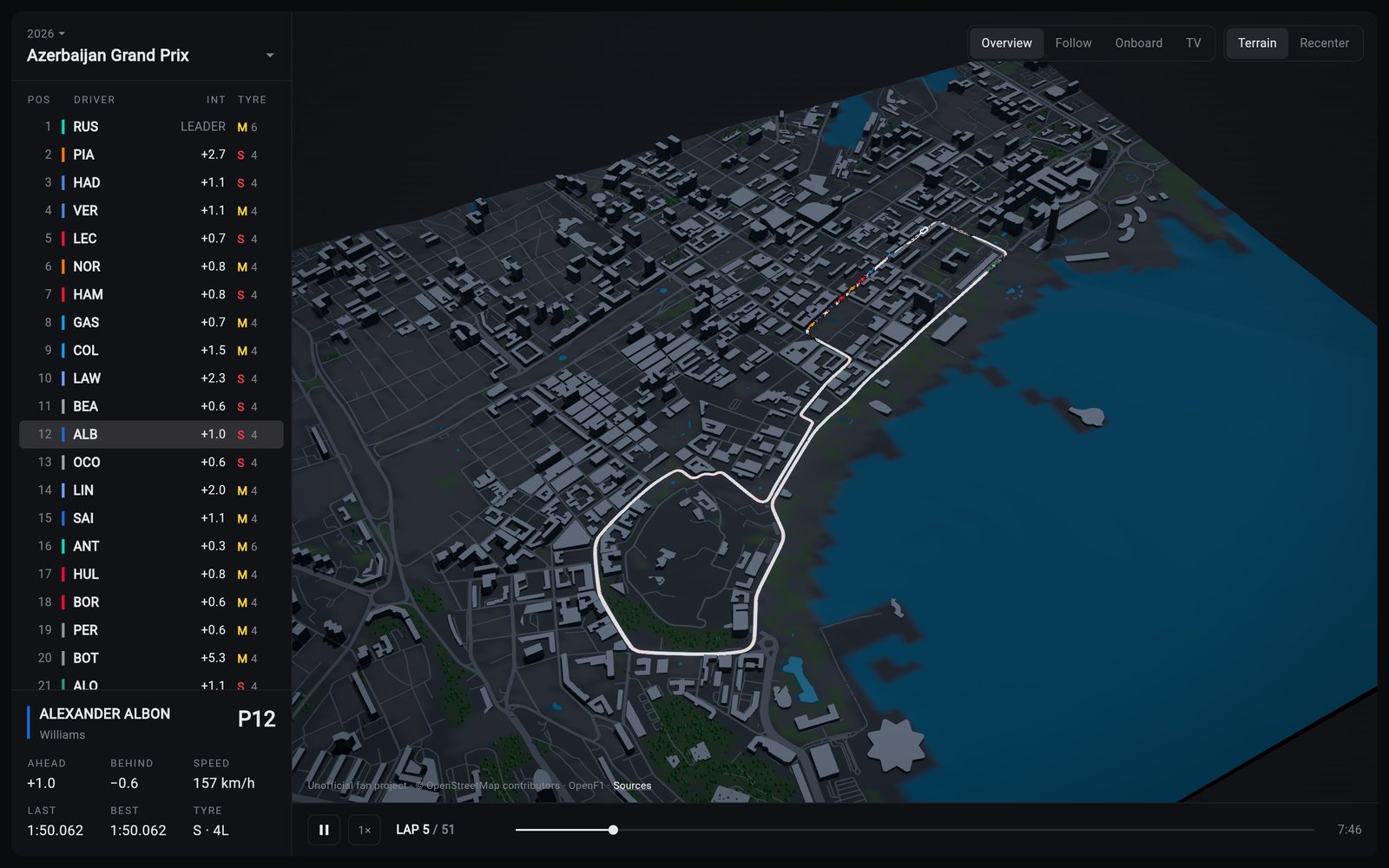
I started it to learn flutter_scene on something with real data and real constraints. Everything is plain Dart, from the GeoJSON outline of a circuit to the pixels on screen: the meshes, the motion maths and the cameras.
What it does
- Every race from 2023 on, at 31 circuits. Every car is driven by OpenF1's position data. You can play, pause, scrub, and watch at 1×, 4×, 16× or 64×.
- Circuits as dioramas, with real width and elevation, kerbs, sector lines, DRS zones and the pit lane. Around them are the terrain, buildings, roads, water and woods from OpenStreetMap.
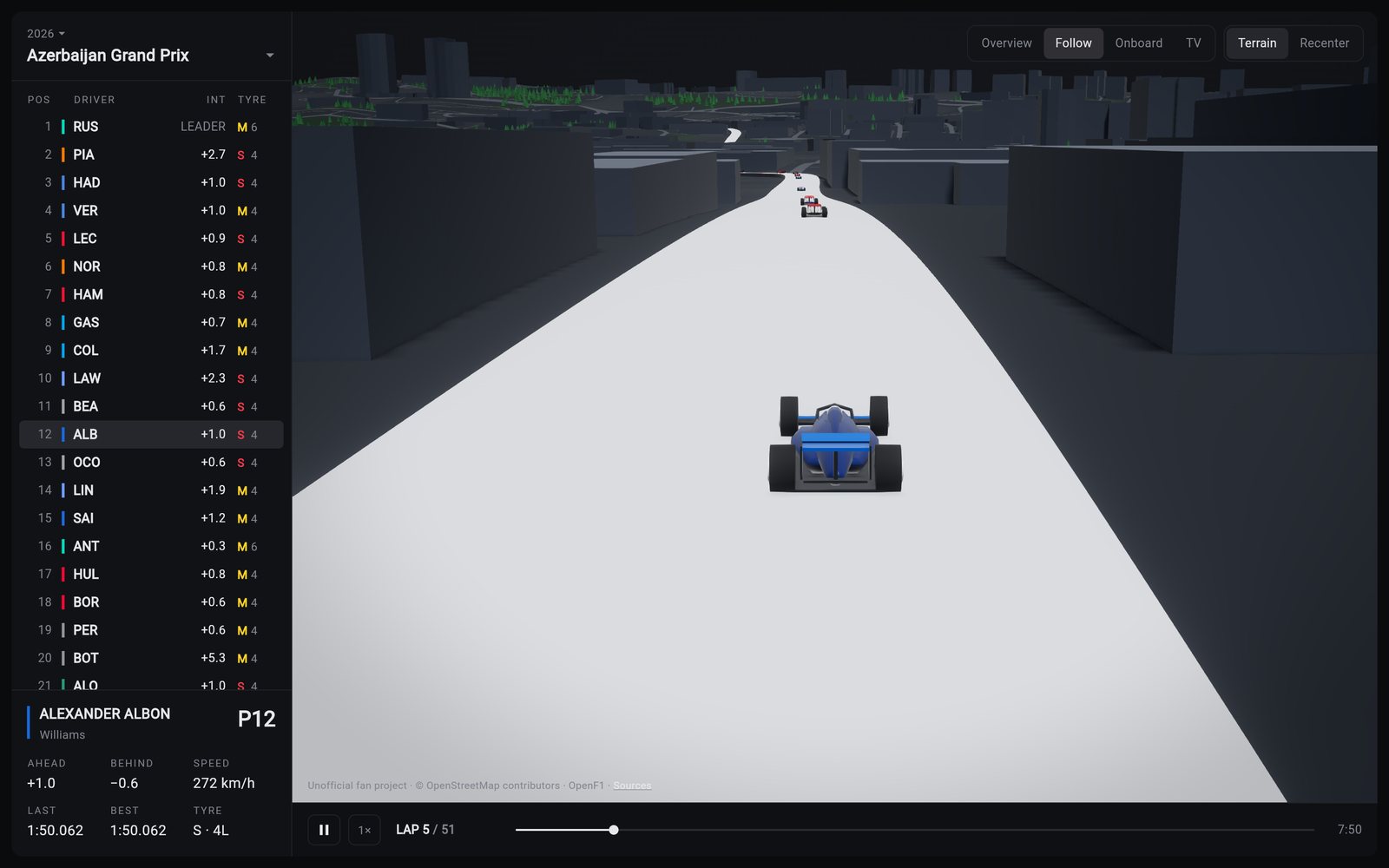
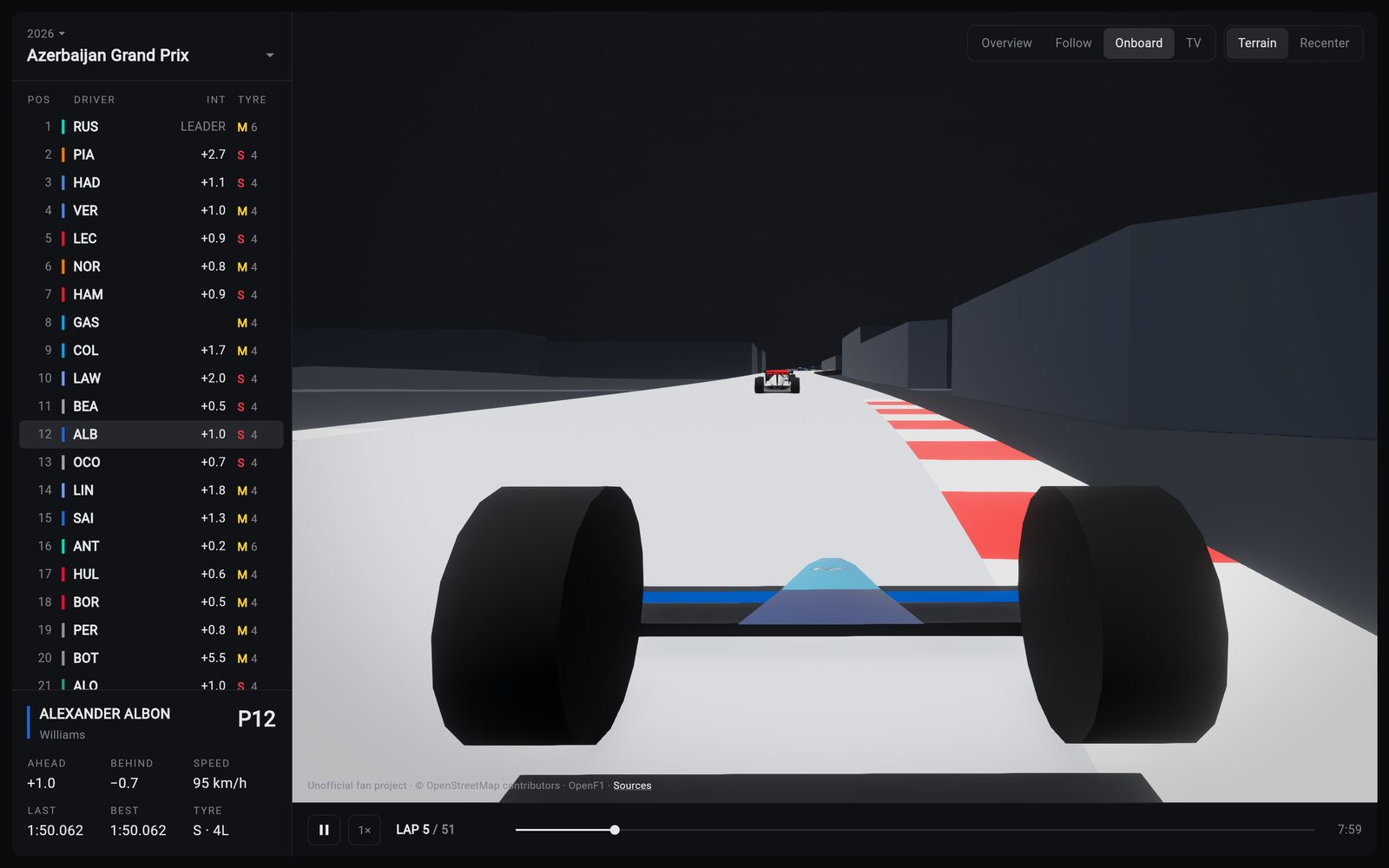
- Four cameras. Overview works like a map, Follow chases a car, Onboard rides on its airbox, and TV cuts between trackside cameras placed where buildings don't block the view.
- Live timing. A tower shows position, gap, tyre and tyre age. Click any driver to follow them.
- Cars built in code: one low-poly model, painted in each team's colours and carrying its number.
The hard parts
Putting the data on the map. OpenF1 reports positions in its own coordinate frame, around an arbitrary origin. The app takes one clean lap and fits it onto the circuit's centerline with an iterative closest point fit. The result lands within 1.7 to 3.9 m RMS on every 2024 venue.
Smooth cars from rough data. Positions arrive about four times a second, roughly 20 m apart at speed. Their timestamps record when each batch arrived, not when it was measured, so a car at a steady 200 km/h appeared to swing between 150 and 350. Every car in a batch shares that error, which makes it measurable and fixable. Then a local fit over 1.3 seconds either side of the playhead makes the cars follow corners instead of cutting straight between samples.
Side-by-side racing. OpenF1 puts every car on the same line around the lap, so the data never says who is beside whom. A spring between each pair of nearby cars pushes them apart as they close in, so no car drives through another.
Keeping it fast. On a large high-density screen the scene is limited by pixels, not geometry. I wrote my own adaptive resolution that drops the render scale quickly when frames are late and raises it slowly once they're on time. On a 1080p window on a 2× display, it goes from about 72 fps at full resolution to about 112. Car positions are stored as compact binary: five minutes take about 220 KB instead of 3 MB of JSON.
Things I learned
- flutter_scene's world is left-handed. With north at −Z, as you'd do in a right-handed engine, every circuit came out mirrored. Nothing looks wrong until you compare it with a map.
- Check the data before the frame rate. Cars that seemed to stutter were following timestamps that arrived late, while the frame rate was steady.
- Under WebAssembly, frame times don't snap to the display's refresh. They read around 13 ms instead of 8.3 or 16.7, so timing code can't assume they do.
Stack
Flutter, Dart, flutter_scene and Flutter GPU, WebAssembly, the OpenF1 API, OpenStreetMap scenery and GitHub Actions. It also runs natively on macOS, iOS and Android.
An unofficial fan project, not affiliated with Formula 1.